• Skip to primary navigation
  • Skip to main content
  • Skip to primary sidebar

cros.land

just figuring things out

  • Home
  • Kenji’s Dungeon Master Tools
  • Lost Mines of Phandelver Guide
  • Contact Me
  • Archives

Uncategorized

Your Tools Now Talk to Each Other

March 26, 2026 by Kenji Leave a Comment

When I first built the statblock generator, it was a standalone thing. You’d make a creature, copy the output, and paste it wherever you needed it. The NPC generator was the same — generate a character, copy it out. Each tool lived on its own island.

That’s been changing.

Over the last few months I’ve been quietly rebuilding the plumbing underneath the tools so they actually share data. The statblock you generate isn’t just text anymore — it’s a living object that your NPCs, encounters, and dungeons can all reference. Edit it in one place, and it updates everywhere.

Here’s what’s new.

Shared Statblocks

This is the big architectural change. Previously, if you generated a statblock for an NPC inside the dungeon generator, that statblock was trapped inside the dungeon. You couldn’t see it in the statblock generator. You couldn’t use it in an encounter. It just lived in one place.

Now there’s one canonical statblock store. Generate a statblock anywhere — the statblock generator, the NPC generator, the dungeon generator — and it shows up everywhere. Your dungeon’s boss monster can be pulled into an encounter. Your NPC’s combat stats can be edited in the statblock generator where you have the full editing tools. One source of truth.

If you’ve got existing data, don’t worry. The migration happens automatically the next time you load the tools. Your nested statblocks get extracted into the shared store and replaced with references. Nothing gets lost.

Create NPCs from Statblocks

This is where the connected tools start to feel like a connected system.

Every statblock now has a “Create NPC” button in the footer. Click it, and you land in the NPC generator with that creature pre-selected. The generator knows the creature’s stats — its intelligence, its type, its abilities — and uses that to shape the NPC it creates.

A creature that can think and talk — a dragon, a vampire, even a dim-witted hill giant — gets the full NPC treatment: personality, motivations, relationships, roleplaying tips. A dragon becomes a scheming political figure. A vampire becomes a patron of the arts with a terrible secret.

A mindless creature — a construct following its programming, a beast acting on instinct, an ooze dissolving everything in its path — gets something different. Instead of pretending your animated armor has feelings, the system generates a creature profile about its origin, its local reputation, and the NPCs whose lives it affects. The hunter tracking it. The wizard who lost control of it. The farmer whose livestock it keeps eating. The creature is a narrative force, not a speaking character.

You can also search the entire SRD monster list when generating NPCs. Pick a Goblin, and the generator pulls in creature intelligence data — pack tactics, cowardly when outnumbered, worships powerful creatures — and uses that to create a specific, memorable individual. Not “a goblin” but Skragg the Broker, an information dealer who trades secrets between tribes and is braver than most because he knows where all the exits are.

Check out the new and improved npc generator!

What’s Next

The cross-tool connections are just getting started. Right now statblocks and NPCs talk to each other. Next up is connecting items, encounters, and locations into the same web. The long-term vision is a session workspace where everything you’ve generated across the tools comes together in one view — your encounters, NPCs, locations, and items organized by session, ready for game night.

If you’re a Patreon supporter, you’re funding all of this directly. Every feature, every bug fix, every architecture improvement. If you’ve been using the free tools and want to support the work (and unlock the premium features), the link is below.

As always, if something breaks or feels clunky, I want to know. Hit me up on Discord or drop a comment. This is a one-person operation and your feedback is what decides what gets built next.

— Kenji

Filed Under: Uncategorized

The Tools Are Growing Up: Inline Editing + A Real Home Page

January 25, 2026 by Kenji Leave a Comment

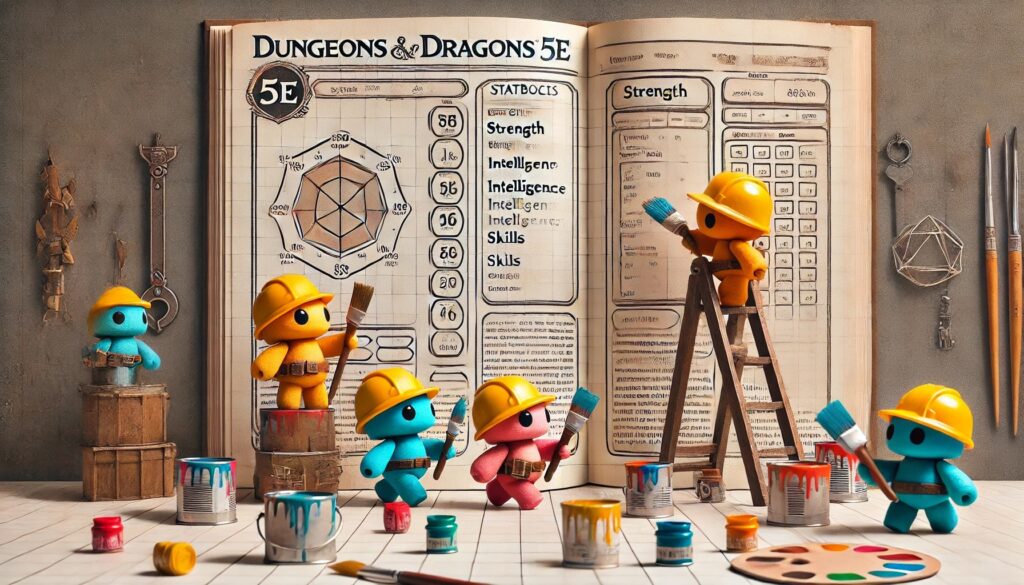
Hey everybody, it’s been a while since I’ve made an update post, and I have a lot to share this time around. Because, while the stat block generator and the item generator had inline editing, I realized that in order for these tools to truly be of use to dungeon masters, they need to be more than generators — they need to be places where a DM can collaborate with the AI, modify outputs, and maintain a single source of truth for their creations: the settings they develop in the setting generator, the NPCs they build in the NPC generator, and the dungeons they construct in the dungeon generator.

So, after having battled some complexity on the back end, I managed to make something reasonably simple where people can click, edit, and essentially change any piece of information the tool produces. If a line of wording is off, or something needs just a bit of personal input or improvement, that can now be done directly in the interface. These changes have been implemented for the Setting Generator, the NPC Generator and the Dungeon Generator.

That shifts these tools from something that’s an interesting novelty — something that helps game masters brainstorm ideas — into something they can actually return to and reference for their campaigns. And that is really the goal moving forward.

I want to make sure each tool is as useful as possible. And while you’re free to maintain your own notes and your own campaign documents, I’m aiming to create a tool suite that’s useful and comprehensive enough that you can simply return to the site and reference what you’ve already created.

As a more personal update, these apps have shifted from being a side project to becoming my main focus. My contract ended in December, and after thinking about the current job market, the potential of these tools, and the amount of runway I have in savings, I’ve been doubling down on building this out. I’m still open to collaborations or job conversations — especially anything involving gaming or where gaming intersects with AI — but for now this project is my center of gravity.

Also, while this might be of less interest to long-time users, I’ve been more actively promoting the business, and part of that has meant creating a proper landing page — something clean, presentable, and easy to share, whether on Reddit, Facebook, or wherever people talk about their campaigns. The goal was to offer a better overview of everything in one place, a page people can send to friends without having to explain how all the pieces fit together.

Filed Under: Uncategorized

Back In the Game!

October 11, 2025 by Kenji Leave a Comment

It’s been a while since I’ve posted an update. The last time I added a feature was way back in January! A lot has been going on in life lately: my dad had triple bypass surgery (he’s doing better now), and on the brighter side, I fell in love, got engaged, and moved into a new house with my new family. It’s been a huge shift, and I’ve been adjusting to a lot of new rhythms.

But now that things are starting to settle down, I’m getting the itch to build again, and I’m happy to say I’m easing back into adding new features for the Dungeon Master apps.

Item Generator Updates

The Whispering Blade is a beautifully crafted longsword, its blade tapering to a finely honed point that glimmers like starlight. The hilt is woven with silver wire amidst deep azure leather, and the pommel is shaped like a crescent moon, adorned with tiny star-like gems that pulse faintly with a soft light. When the blade is drawn, a soft whispering can be heard, as if the weapon itself speaks reverberations of lost celestial echoes.

I spent the last couple of days giving the Item Generator app some love — it’s still the most popular app on my site, and I wanted to make sure it keeps earning that spot.

Here’s what’s new:

  • The generator is now more in line with D&D 5e rarity rules, so items feel a bit more balanced and true to the system.
  • There’s a new Edit Item button that lets you modify any part of a generated item — tweak names, stats, features, anything.
  • The Generate Feature button (for premium members) lets you re-roll or create new features for items you already like.
  • And now there’s a Quest Hooks tab! You can spin up quest hooks tied to an item — non-premium users get five per day, which should cover most DMs just fine.

If you haven’t checked out the Item Generator in a while, give it a spin — it’s running smoother and smarter than ever.

Life, Love, and Loot

Between hospitals, engagements, and moving boxes, it’s been a wild year. But I’m really excited to get back into a creative groove again.

I don’t plan on disappearing for as long as I did this time around. I’ve got a big backlog of feature requests from patrons, and I’m looking forward to tackling them one by one.

Come Say Hey on Discord

The Discord’s been a little quiet, probably because I’ve been quiet too, but I’d love to get the conversation going again.

If you’ve got a feature idea, want to talk about your campaign, or just want to say hello, hop in and let’s get things moving again.

Join the Discord

Thanks again to everyone supporting the project, especially my Patreon members: you’re the reason these tools keep growing.

I’ll be back soon with more updates. Until then, may your rolls be high and your inspiration points plentiful.

Kenji

Filed Under: Uncategorized

Statblock Generator 2.0 Release!

July 11, 2024 by Kenji Leave a Comment

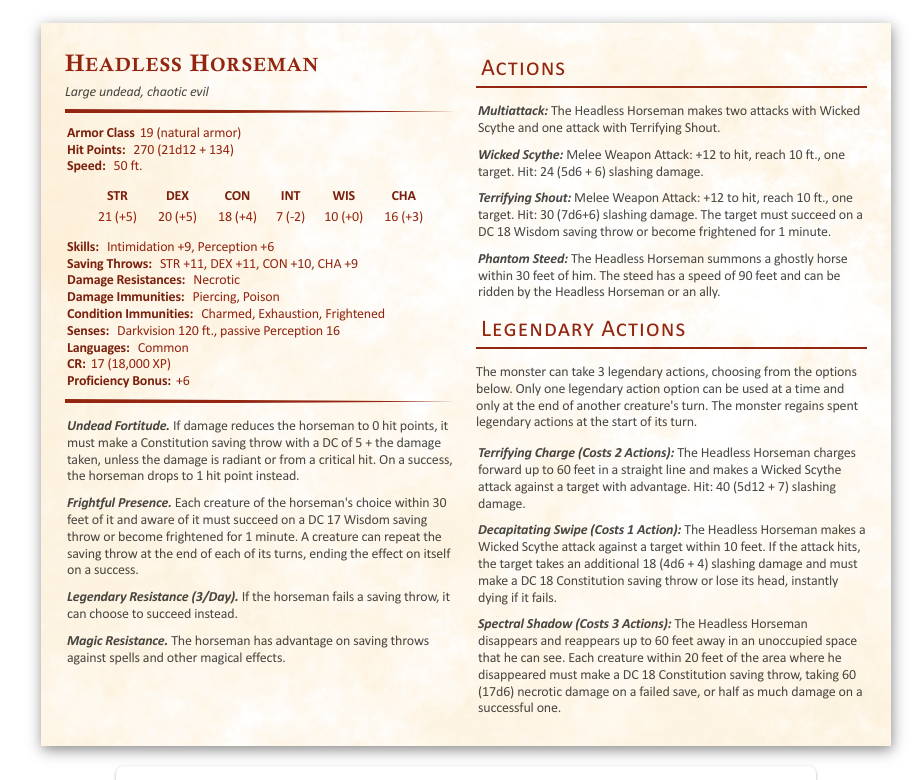
As some of you might have noticed, I’ve made a few updates to the most popular app on this site, the D&D 5e stat block generator. These changes include bug fixes, new monster templates for CR14+, and the ability to save statblocks and organize them in folders.

To-Hit Bonus Bugfix

The first changes I’ve made are under the hood, addressing some bugs and technical issues with stat block generation. These include an issue where lower CR creatures didn’t have a to-hit bonus in the stat block. That should be fixed now, but if anybody notices anything different, please let me know.

New Monster Templates for CR14+

The other thing I’ve worked on is creating new monster templates. For the first version of the app, I generified monsters from the SRD to reflect the CR and interesting mechanics of those monsters. A user would choose a CR, and the app would randomly select one of those templates. These templates preserved such things as armor class and damage per round while removing anything specific to a single monster. The app then makes a call to ChatGPT, which adds flavor to the stat block while preserving the template stats.

As I moved up in CR, there were fewer monsters to generify. I used the Dungeon Master’s Guide recommendations for creating a creature, and they turned out very overpowered. Nearly all of my monsters from CR 14 and up were not balanced. I decided that most game masters wouldn’t be creating creatures stronger than CR 14, so I left the task of new template creation for another day. However, as more and more people started using the apps and I started getting paid subscribers, I knew I had to fix this issue. After spending about two weeks creating new stat block templates, I feel reasonably satisfied that the CR 14+ monsters are more balanced.

In addition to creating more balanced monsters I also created more defensive and offensive variants for higher CR creatures. Now “defensive” creatures should have more hit points/higher AC with lower damage per round while “offensive” creatures have lower defensive attributes but higher damage per round.

New Feature! Saving Statblocks

After updating stat block creation, I focused on the ability to save stat blocks. Now, every stat block you create is automatically saved to a folder. If you haven’t created any folders, it will save to an uncategorized folder, and from there you can move it to a folder of your choice. You can name a folder and then move the stat block to that folder.

I’ve also updated the NPC generator, the encounter generator, and the dungeon generator. While these apps could create stat blocks, the only way to save them was by copying the content and exporting it to an external app like Homebrewery, FoundryVTT, or the Improved Initiative app. Now that the stat block generator app saves every generated stat block and also allows for organizing these stat blocks in folders, it only made sense to be able to save stat blocks generated from these other apps so that they can all be viewed in one place on the stat block generation app.

I’m really excited about these improvements and hope they enhance your GMing experience. If you have any feedback or ideas for new apps, please let me know. You can join our community’s Discord here, and people generally contact me through that.
Filed Under: Uncategorized

Introducing Kenji’s RPG Setting Generator and Worldbuilding Dashboard!

May 19, 2024 by Kenji Leave a Comment

Here it is! https://cros.land/rpg-setting-generator-and-world-building-tool/

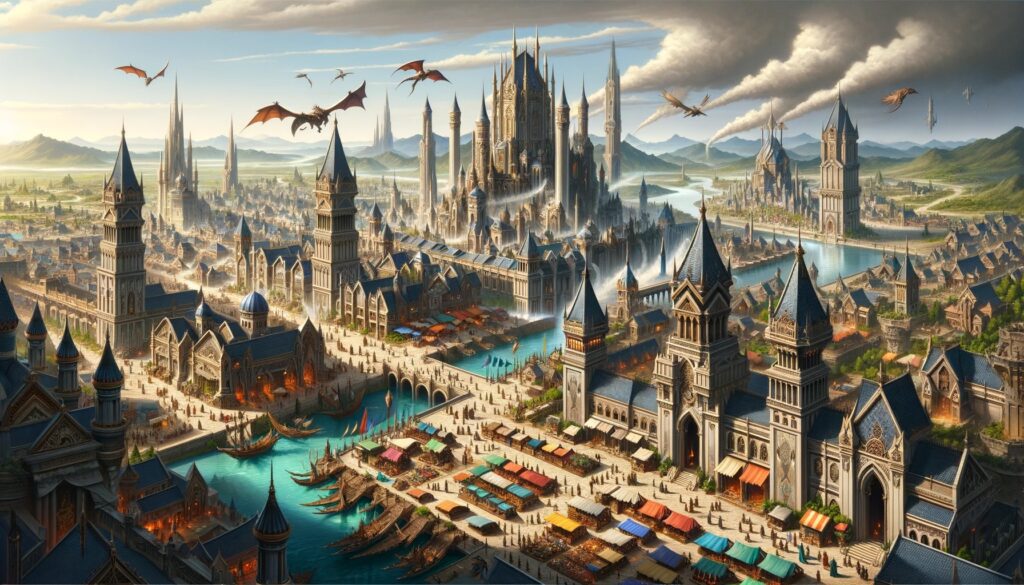
One of the main frustrations I’ve had as a game master was running a game in the Feywild, where I had to create every town from scratch. For example, the Elven Enclave in the lands of Summer required me to think of who ran the place, the NPCs the players would meet, the types of conflicts that would arise, and so on. It was rather taxing, and I remember doing that for my entire campaign in the Feywild.

This experience led me to think about creating a world-building tool to complement my growing list of game master tools. This tool would take the lore you’ve already developed and generate a general overview of the city, town, village, space station, planet, or whatever you need. You could then create sub-locations within that location, each with a list of factions and NPCs, which could become quest givers.

I wanted to create a dashboard that would allow a game master to quickly generate and organize this information, making it easier to build sessions without overburdening yourself every time. While you can bring your own creativity to the table, having an outline generated for you is really helpful.

This tool also allows you to copy all the content generated as plain text, hierarchical HTML (with descending h1, h2, h3, h4, h5 tags), or homebrewery markdown. I’m told that the HTML format can be used in Foundry VTT, although I’m not a user, so I’d appreciate confirmation on that. For homebrewery markdown, page breaks can’t be automated, so you’ll need to insert those manually.

I hope you find this tool useful. Any feedback you provide would be wonderful. I still have some ideas for improving this tool, but I’ll probably move on to enhancing the 5e stat block generator tool, which many people are using. I have a lot of ideas to make those stat blocks better and more robust.

Until next time, thank you very much.

Filed Under: Uncategorized

Introducing the AI Powered Dungeon Generator!

January 18, 2024 by Kenji Leave a Comment

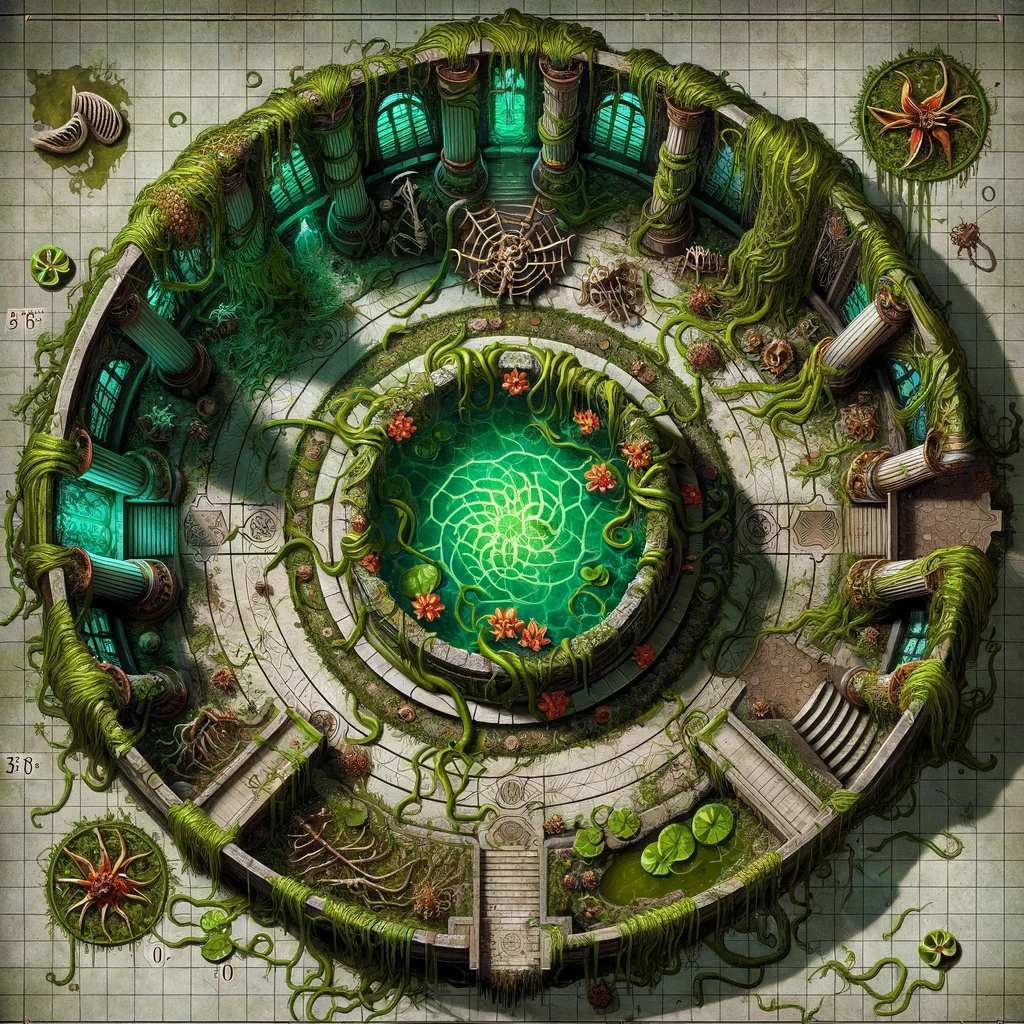
The Poisonous Conservatory is a room teeming with vibrant and deadly plant life. The air is thick with the scent of intoxicating pollen, making it hard to focus. Vines hang from the ceiling like menacing serpents, their leaves dripping with a poisonous sap. Strange, otherworldly blossoms bloom in twisted shapes and ominous colors. In the center of the room, a pool of bubbling green liquid surrounded by a ring of thorny plants crackles with a malevolent energy. All around, you see skeletal remains of unfortunate creatures that became trapped in this deadly greenhouse.

After a several-month hiatus (life stuff, you know how it is), I’m super excited to unveil the newest addition to my AI-powered Game Master tools: the Dungeon Generator!

The dungeon room description provided above was all conjured up by this new tool. As always with my new tools it’ll be free for a month and then after that it’ll become exclusive to $5 patrons on my Patreon.

So, what’s this Dungeon Generator all about? First, it crafts an overall summary of your dungeon. This isn’t just a bland description; it includes the current state of affairs, its history, and reasons why adventurers might want to drop by. It also unveils secrets, environmental features, and the lowdown on factions and NPCs in the dungeon.

After generating the summary, you can generate a list of potential dungeon rooms. Each room gets its own detailed write-up, complete with a roster of monsters or NPCs. And here’s the cool part: you can generate detailed stat blocks for each of these characters, merging the functionality of the 5e stat block generator right into the dungeon tool.

Need to grab content quickly? Easy. You can copy individual stat blocks for use in Homebrewery, Foundry VTT, or the Improved Initiative app. Or, go big and copy the entire dungeon summary and room list, including stat blocks, in Homebrewery Markdown. This way, you’re all set to roll out a complete dungeon – well, minus the map (we’re not quite there yet) – but definitely a dungeon rich in narrative and detail.

Stay tuned for more and happy gaming!

Filed Under: Uncategorized

  • Go to page 1
  • Go to page 2
  • Go to Next Page »

Primary Sidebar

Hello! My name is Kenji Crosland and welcome to my blog. I recently spent nearly a year traveling the Southern US looking for a new home. I also write about how to run pen and paper RPGs. I also make game master tools. Say hello!

Game Master Tools

  • D&D 5e Monster Statblock Generator
  • Dungeon Generator
  • D&D 5e Magic Item Generator
  • D&D 5e Magic Item Price Calculator
  • D&D 5e Encounter Generator
  • Worldbuilding Dashboard and Settings Generator
  • Location Description Generator
  • NPC Generator


Game Master Tools For Patrons

  • Bookshelf Generator
  • Lore and Timeline Generator
  • GM Dashboard and Town Generator

Recent Posts

Your Tools Now Talk to Each Other

March 26, 2026 By Kenji

D&D 5e Encounter Generator — Build Encounters Your Players Will Actually Remember

March 7, 2026 By Kenji

New Tool: Roll20 Statblock Auto-Fill Extension Now Available!

February 10, 2026 By Kenji

The Tools Are Growing Up: Inline Editing + A Real Home Page

January 25, 2026 By Kenji

Back In the Game!

October 11, 2025 By Kenji

Copyright © 2026 · Genesis Sample on Genesis Framework · WordPress · Log in